
Paying Your Pillars Invoice Balance
Use the Pillars Portal to Review and Pay Your Invoices
Questions:
-
How do I pay my invoices to Pillars?
-
What’s the easiest way to find out how much I owe Pillars?
-
Where can I find my outstanding invoice balance to Pillars?
Main Points:
-
You can pay your outstanding Pillars invoices directly from within the Pillars Portal.
-
Use the Pillars Portal to see a list of your outstanding Pillars invoices.
-
Use the dropdown login menu at the top right-hand corner of the Pillars BackOffice to jump to the Portal to view and pay invoices to Pillars.
-
Navigate to the Pillars Portal from the BackOffice dropdown login menu to have access to your invoices.
Explanation:
Use the Pillars Portal to view and pay outstanding Pillars invoices. Instead of using the direct URL to navigate to the Pillars Portal (portal.pillarshub.com), navigate to it via the dropdown login menu at the top right-hand corner of the Pillars BackOffice. This method provides you with an updated menu in the Portal that includes an Invoices menu item. Select that menu item to see a list of all your outstanding invoices.
Steps:
- From within the Pillars BackOffice, click the dropdown login menu at the top right and select Manage Account. (See Image 1 below.)
- Click Invoices in the top menu of the Portal. (See Image 2 below.)
- Click the Pay Invoice button at the far right of the row of the invoice you want to pay. This navigates you directly to QuickBooks where you can pay outstanding invoices to Pillars. (See Image 3 below.)
- Use the Intuit QuickBooks UI to pay your outstanding Pillars invoices. (See Image 4 below.)
Screenshots:
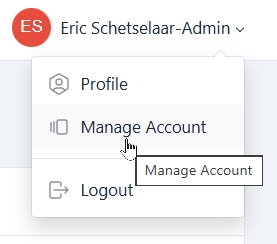
From within the Pillars BackOffice, click the dropdown login menu at the top right and select Manage Account.
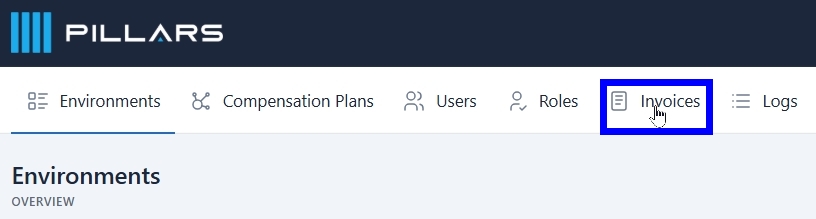
Click Invoices in the top menu of the Portal.
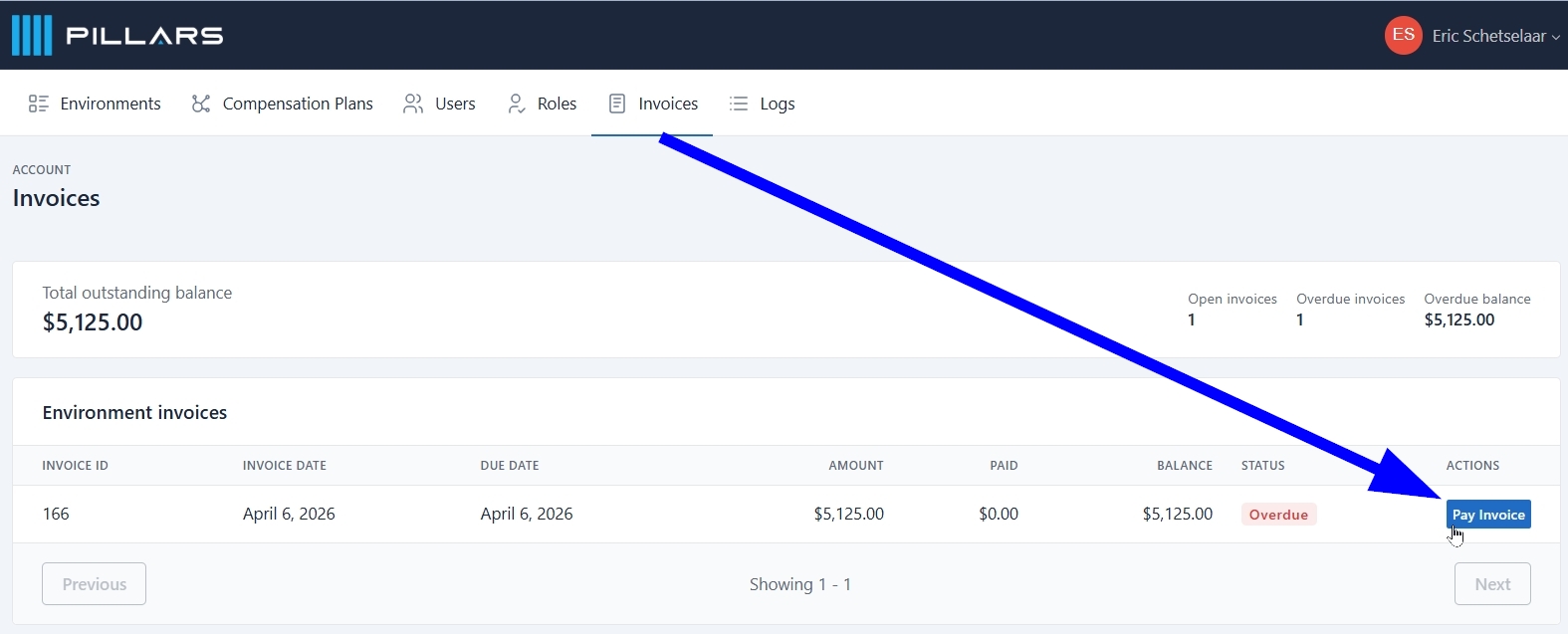
Click the Pay Invoice button at the far right of the row of the invoice you want to pay. This navigates you directly to QuickBooks where you can pay outstanding invoices to Pillars.
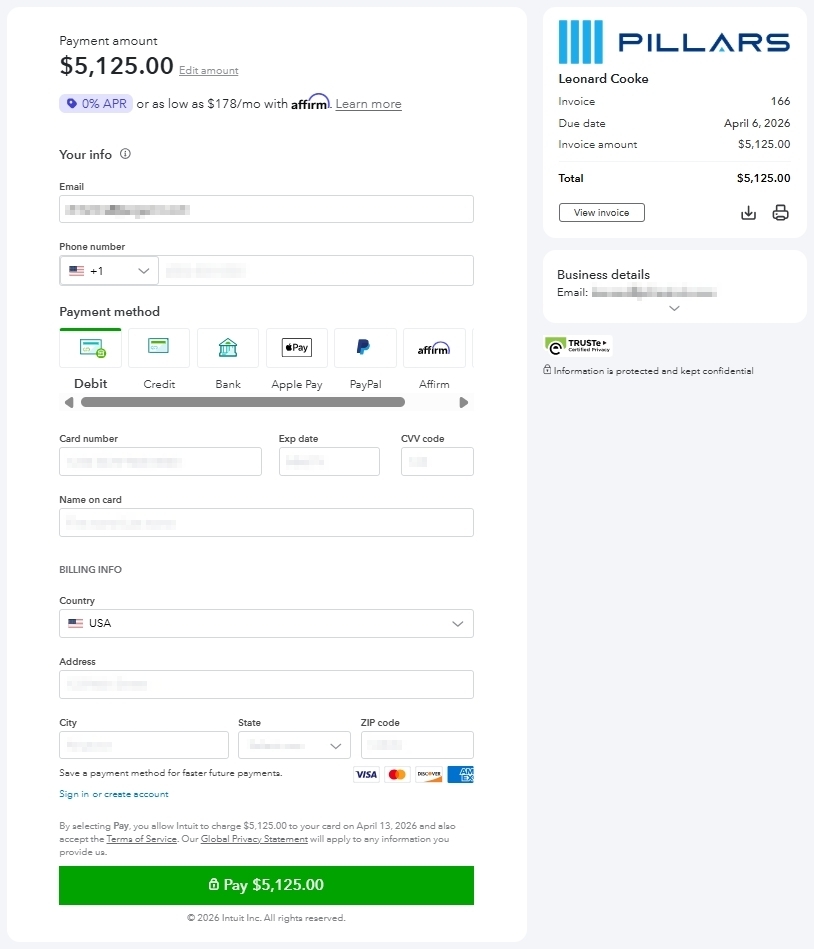
Use the Intuit QuickBooks UI to pay your outstanding Pillars invoices.
Updated 5 months ago